v1.2.0 Enhanced Code Editor
Entry to the GitHub Publishing Repository
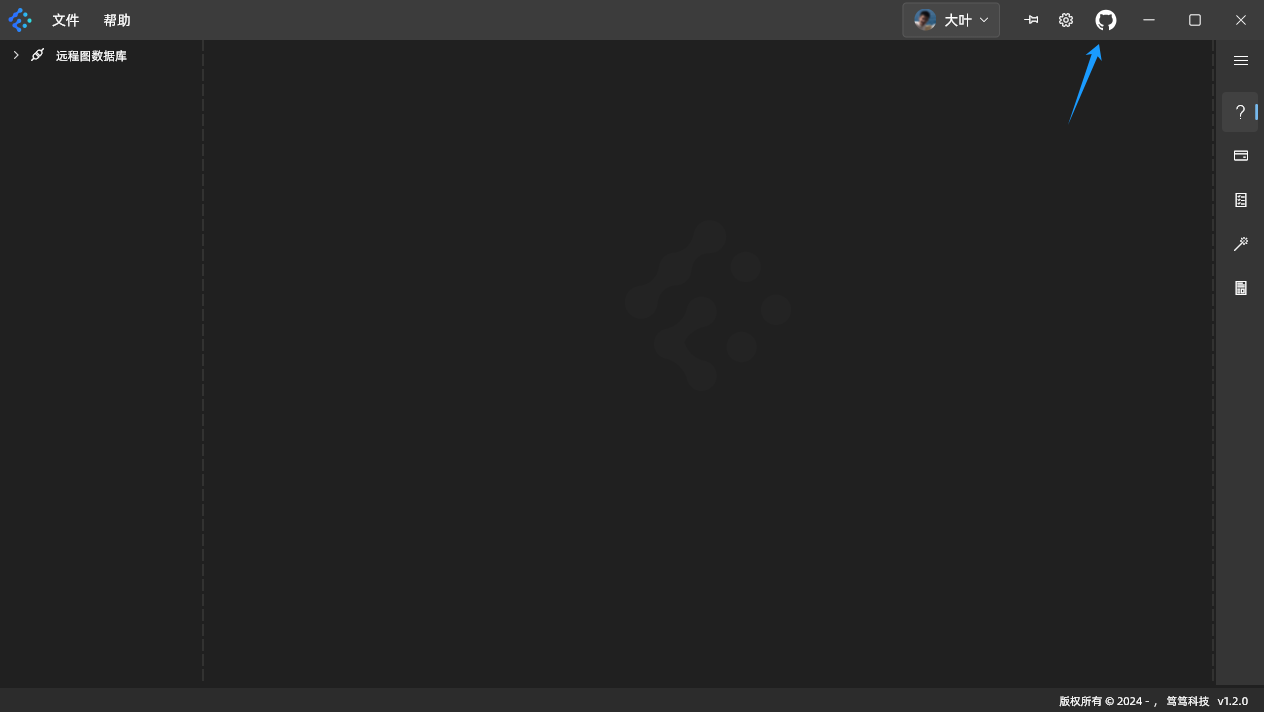
In the software’s main window, click the [GitHub] icon in the top-right corner to open the GitHub hosting repository for the StarShadow Graph Database client. As shown below:
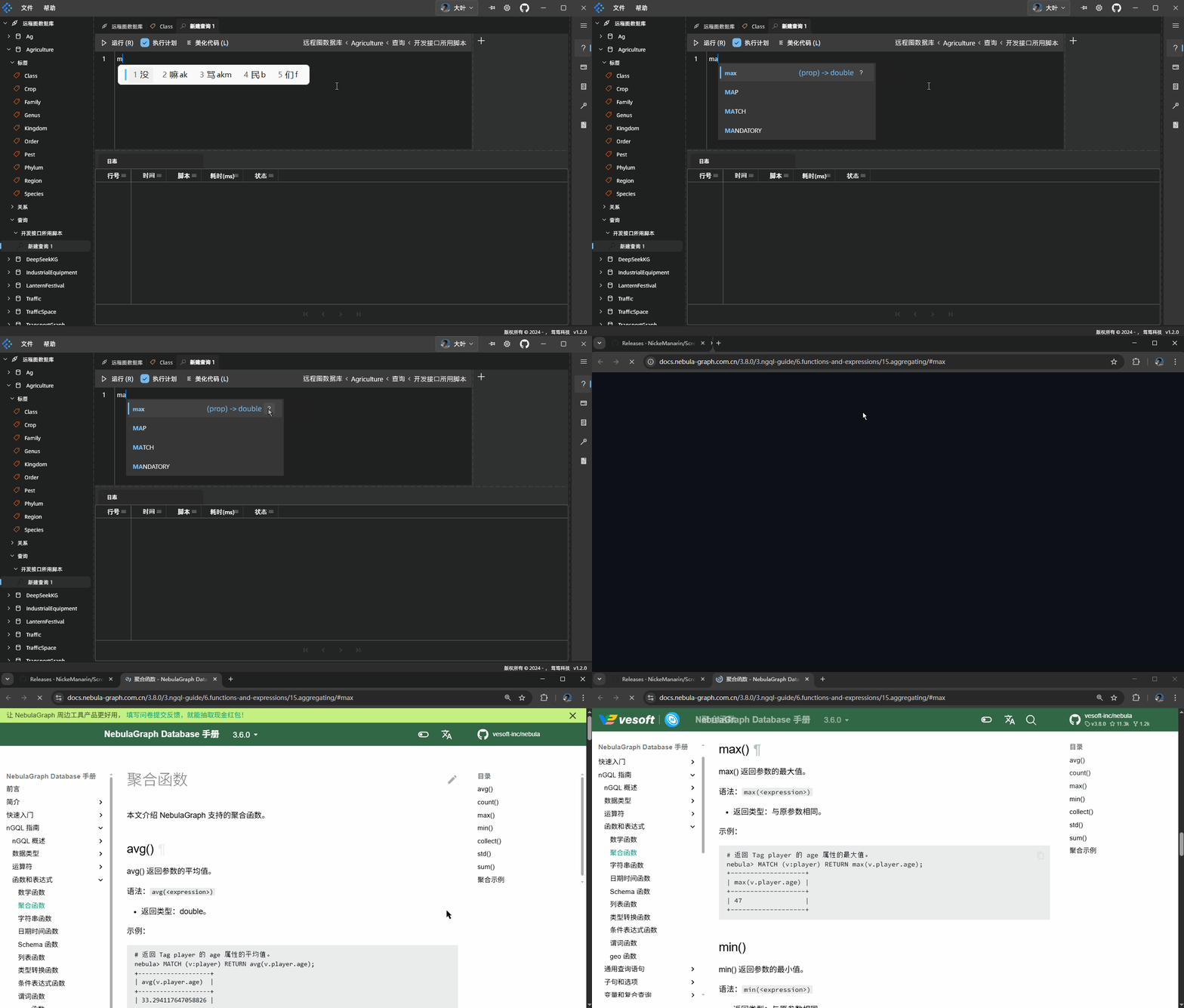
Keyword Completion When Writing Scripts
When writing query scripts, functions and keywords are supported by code completion. For functions, you can click the ? button next to them to jump directly to the database product’s official documentation. As shown below:
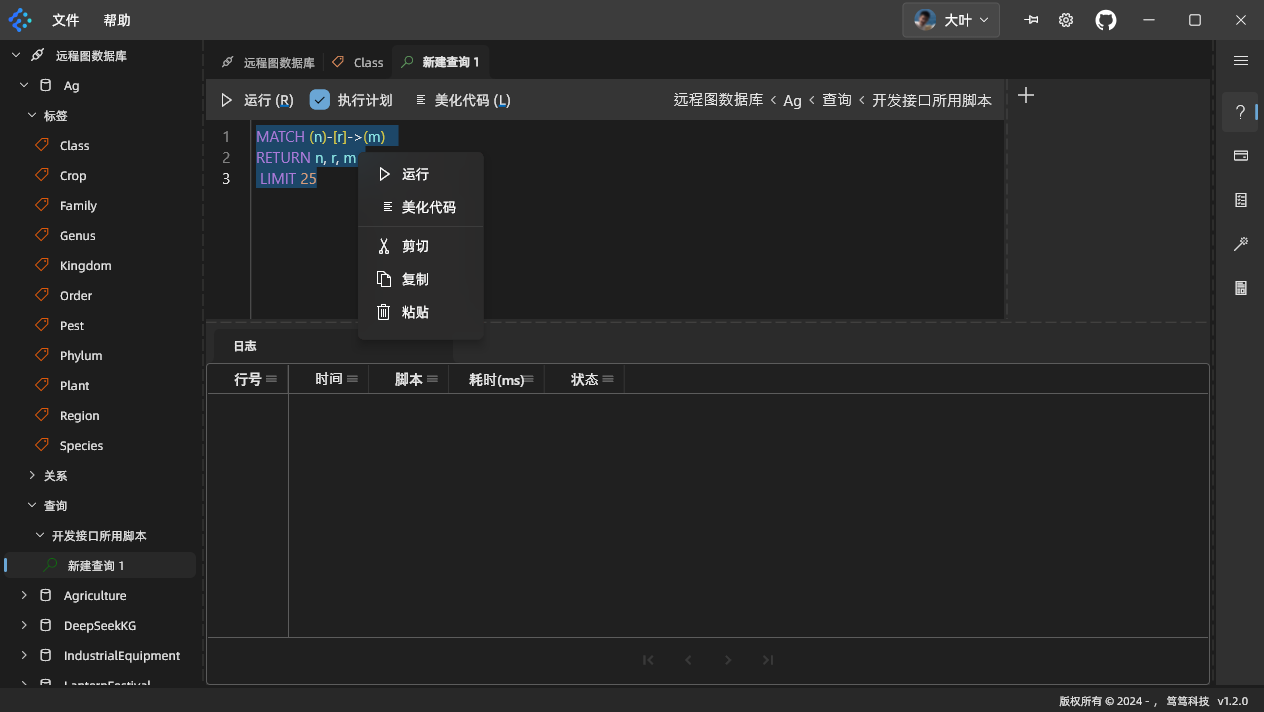
Context Menu for Query Scripts
In the script editor, right-click in the code editing area to open a context menu for the script. As shown below:
Editor Shortcuts (Powered by reqable/re-editor)
- Select All (
Control/Command + A) - Cut Selected/Current Line (
Control/Command + X) - Copy Selected/Current Line (
Control/Command + C) - Paste (
Control/Command + V) - Undo (
Control/Command + Z) - Redo (
Shift + Control/Command + Z) - Select Current Line (
Control/Command + L) - Delete Current Line (
Control/Command + D) - Move Current Line (
Alt + ↑/↓) - Continuous Selection (
Shift + ↑/↓/←/→) - Move Cursor (
↑/↓/←/→) - Move Cursor by Word Boundaries (
Alt + ←/→) - Move to Start/End of Page (
Control/Command + ↑/↓) - Indent (
Tab) - Outdent (
Shift + Tab) - Comment/Uncomment Single Line (
Control/Command + /) - Comment/Uncomment Multiple Lines (
Shift + Control/Command + /) - Character Case Toggle (
Control/Command + T) - Search (
Control/Command + F) - Replace (
Alt + Control/Command + F)